
Consult JC

Consult JC at Customer Connect Expo: Two Days of Conversations, Zoho and Better Customer Experience

Consult JC at Customer Connect Expo: Two Days of Conversations, Zoho and Better Customer Experience

Consult JC at the Zoho booth at Customer Connect Expo

In September, the Consult JC team headed to the Georgia World Congress Center in Atlanta to exhibit at Customer Connect Expo, one of the biggest gatherings of people who care about customer experience.

Over two days we did what we enjoy most: talking with business leaders about how their teams work, where things get stuck, and how Zoho can help them serve customers better. We came home with full notebooks, new connections and plenty to think about.

Here is what it was like, what we talked about, and what we are taking away.

Why we were there

Customer experience is rarely just a software problem. It is a people and process problem first. The businesses we work with want their sales, service and back-office teams working from the same information, so customers do not have to repeat themselves and staff do not have to chase answers.

As a Zoho Premium Partner, that is the work we do every day. Customer Connect Expo gave us a chance to hear those challenges first-hand from companies across many industries, and to share how Zoho can bring people, processes and systems together.

What we talked about at the booth

  • One view of the customer. How Zoho CRM puts every ticket, campaign and conversation on one record, so your team is never selling or supporting blind.
  • AI that does real work. Many visitors wanted to know where Zoho AI and Zia fit. The most useful conversations went beyond the technology to what it can actually accomplish, and where a personal touch still matters most.
  • Less manual work. Smarter automation means less time on repetitive tasks and more time building meaningful customer relationships.
  • Using technology well, not just adding more of it. The future of business is not about having more tools. It is about using the right technology in the right way.
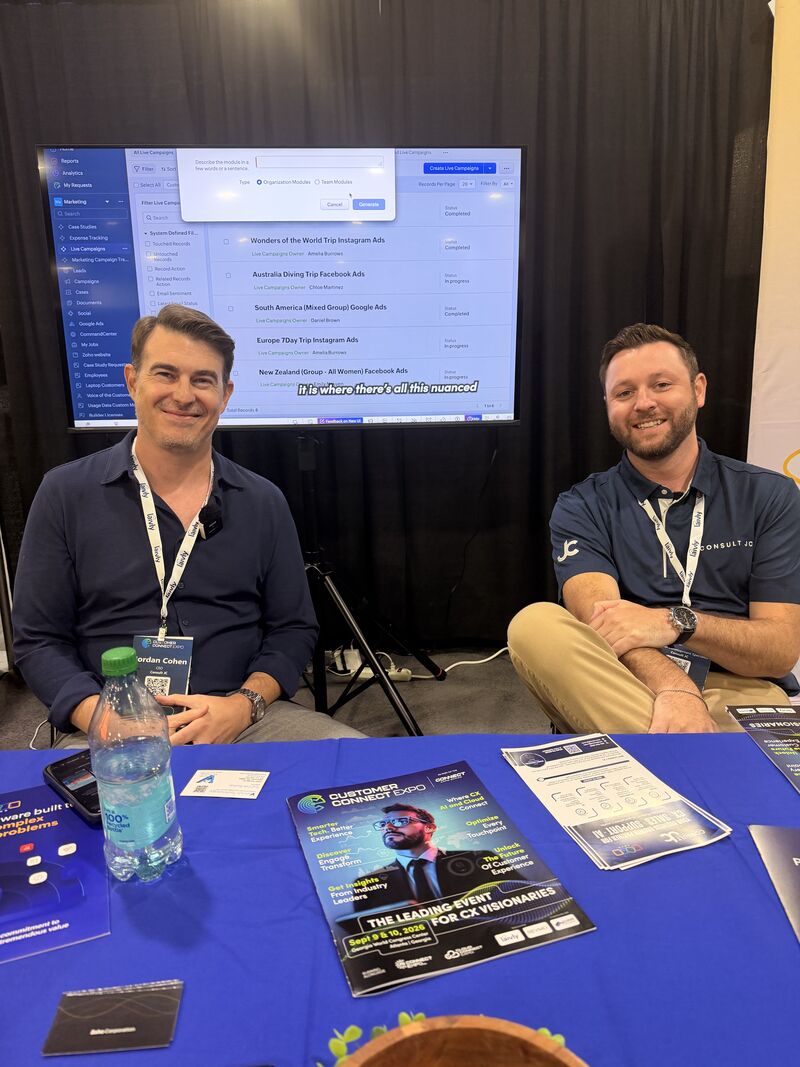

Inside the Expo with Jordan Cohen

Our CEO, Jordan Cohen, spent the expo talking with business leaders about common technology use cases, how companies are rolling out new solutions, and where Zoho can make a difference. His advice for any business weighing up its next move was simple: just go for it.

What we are taking away

  • Businesses are thinking about outcomes. The questions were less about features and more about what a system will actually change for customers and staff.
  • AI needs the right foundation. Interest in AI is high, and the businesses that get the most from it take a methodical approach, with the right data, structure and strategy in place first.
  • Conversations beat pitches. The best part of the expo was listening. The right solution always starts with understanding the business behind it.

A big thank you to everyone who stopped by our booth, shared their challenges and helped make this year’s expo a great one. Until next time!

Missed us at the expo?

Whether you are implementing Zoho for the first time, exploring AI or rethinking your business processes, you do not have to figure it out alone. Book a free consultation at consultjc.com or email info@consultjc.com.

People first. Systems that scale.

Connect Claude or ChatGPT to Your Zoho Apps: What’s Safe and What to Ask First

Connect Claude or ChatGPT to Your Zoho Apps: What’s Safe and What to Ask First

Connect Claude or ChatGPT to Your Zoho Apps: What’s Safe and What to Ask First

Chances are some of your team are already pasting Zoho data into an AI chat window to summarise a deal, draft a reply or check an invoice. It works, and it is also a quiet way for customer data to leave your systems with no record of it.

Zoho MCP offers a more controlled route. Instead of copying data out, an AI assistant such as Claude or ChatGPT is connected to your Zoho apps and works inside them, under rules you set. That is a real step forward. It also raises questions every business should answer before switching it on. Here is how it works, what Zoho says keeps it safe, where the gaps are, and an eight-point checklist.

What Zoho MCP is, in plain English

MCP, the Model Context Protocol, is an open standard that lets AI assistants use business software. Zoho MCP lets you build a server that exposes chosen tools, actions and data from your Zoho apps to an AI assistant. Zoho describes it as model-agnostic and compatible with Claude, GPT and other agents. It lists apps including CRM, Desk, Projects, WorkDrive, Books and Billing, and sample workflows such as updating deals, replying to tickets, generating invoices and logging expenses. Signing up is free.

Setup follows a simple pattern. You create a server in Zoho MCP, choose which tools to enable, and copy the server URL. Then you add that URL as a connector in your AI assistant. For Claude, Zoho’s help pages say you need to be an organisation admin on a Team plan or higher. For ChatGPT, you need a Plus, Pro or Team plan with Developer Mode switched on.

What Zoho says keeps it safe

  • You choose the tools. Zoho says the assistant does not automatically get every action. It can only use the tools you enable.
  • Sign-in runs through OAuth. You approve access on a Zoho consent screen that lists the permissions being requested. Zoho says agents act under user-level permissions and can only do what that user is allowed to do.
  • Actions are logged. In the example we read, the Zoho MCP Logs page records each tool call with its status, the user ID and an execution ID, and you can filter by date, status or tool.

These are the right foundations. They are not the whole job.

Where the gaps are

  • The server URL is a key. Zoho’s guidance is to treat it like a password, because anyone who has it can use your enabled tools. Regenerating it disconnects every client.
  • Your data goes to an AI provider. Zoho’s Analytics MCP page warns that the data gathered for your request is shared with the AI model to produce the answer. The same page says that server is still in a development phase.
  • Some details are not published. The pages we read do not say how long logs are kept, whether they capture what was asked or only what was done, or what the usage limits are. Ask Zoho before you rely on them.
  • AI can misread instructions. Zoho’s own advice is to review AI actions before treating them as final, and to test in a sandbox first.

The governance checklist: eight things to settle first

  1. Start with the job, not the tool. Write down one or two things you want the assistant to do, such as “show me deals that have gone quiet for 14 days”. If you cannot name the job, you are not ready to connect it.
  2. Choose who it connects as. The assistant can reach what the connected user can reach. Use a user whose role matches the job, not a Super Admin.
  3. Enable the fewest tools you can. Start with read-only tools. Add write tools one at a time. Leave delete switched off.
  4. Decide what needs a human. Anything that leaves the building, such as an invoice or a customer email, and anything that changes money or deletes records, should be reviewed first. Emails and tickets can also contain text written by outsiders, so do not assume everything the assistant reads is trustworthy.
  5. Protect the server URL. Decide who holds it, store it like a password, and regenerate it when someone leaves.
  6. Know where the data goes. Check your AI provider’s plan and data terms. List which Zoho apps hold sensitive data, such as financials or health records, and keep those out until you are sure.
  7. Own the logs. Name one person who reviews the audit log on a schedule, and confirm with Zoho what it records and for how long.
  8. Test, then trust. Use Zoho’s playground or a sandbox, begin with reversible tasks, and keep a review period before anything runs unattended.

Where we would start

Start by reading, not writing. Questions like “which invoices are overdue?” or “which tickets are waiting longest?” save time and cannot change a record. Once your team trusts the answers, add one low-risk write at a time, such as drafting a follow-up note for a person to approve.

One more tip. If you find yourself typing the same request every morning, that is not a chat. It is a process, and it probably belongs in a Zoho Flow or a Zia agent where it runs the same way every time.

Not sure where your Zoho is ready for AI?

This is the diagnose-before-we-prescribe work. We will look at your Zoho roles and permissions, help you choose a first use case, and set up a connection with the least access it needs, so your team gets the benefit without the worry. Book a free consultation at consultjc.com or email info@consultjc.com.

People first. Systems that scale.

Two New Apps Just Landed in Zoho One: Tables and Publish

Two New Apps Just Landed in Zoho One: Tables and Publish

Two New Apps Just Landed in Zoho One: Tables and Publish

If your business runs on Zoho One, open your app list. In September 2026 Zoho quietly added two new apps to it: Zoho Tables, for organising work and data, and Zoho Publish, for managing how your business shows up on Google. Neither has had much coverage yet, and both solve problems we see in almost every discovery call.

Here is what each one does, where it fits, and what to check before you roll it out to your team.

Zoho Tables: the structure your spreadsheets are missing

Zoho describes Tables as a no-code mix of spreadsheet and database. You get the familiar rows and columns, plus the ability to link data across tables so that, for example, every task points back to the campaign it belongs to. The same live data can be shown as a Grid, Kanban board, Calendar, Gallery, Gantt chart or Form, so each person sees it the way they work.

What stands out

  • AI-assisted setup. Describe what you need, such as “a base to manage marketing events with tables for event details, tasks, budget, vendors and attendees”, and Zoho’s Zia suggests use cases, then builds the tables, fields and relationships for you to refine. It is a quick way to get past the blank page.
  • Simple automation. Trigger-and-action rules without code, such as notifying a Cliq channel when a high-priority record is added.
  • Easy to bring data in. Zoho lists imports from Google Drive, WorkDrive, Cliq, CRM, Dropbox, Flow and Zapier, and added Smartsheet and CRM imports earlier this year.
  • Templates. Ready-made starting points for marketing, finance, HR, sales, operations and events.

Where Tables fits, and where it does not

Tables is for the in-between work: the content calendar, the vendor tracker, the onboarding checklist, the event plan. These usually live in a spreadsheet that one person built and one person understands. Moving them into Tables gives them owners, views and automation without needing a full custom app.

It is not a place to rebuild your customer records or your books. Customers belong in Zoho CRM and financials belong in Zoho Books. The goal is one connected system, not another silo.

Zoho Publish: your local presence, in one place

For any business that customers find through Google Search and Maps, the Google Business Profile is a front door. Publish is Zoho’s tool for managing those profiles, and for businesses with several locations, managing all of them from one dashboard instead of a dozen logins.

What stands out

  • Profile details in one place. Update hours, photos, services and descriptions, and keep branding consistent across locations.
  • Reviews without the chase. A central view of reviews, automated replies to common review types, and AI-drafted replies matched to your brand voice. Negative reviews can be routed to the right team member automatically, and reviews can become tickets in Zoho Desk.
  • Insights and reporting. Charts for sentiment, rating trends and response times, plus scheduled reports for your team. Recent additions include a Leaderboard that ranks locations on review handling, Review Keywords that surface what customers praise or complain about most, and a Store Locator Widget for your website.
  • Control over who does what. Role-based permissions let you hand specific tasks to specific people, and there is an Android app for replying on the go.

Our view on local visibility is simple. Accurate information and prompt, human replies to reviews do more for you than any trick, and Publish makes that routine easier to keep up.

Before you switch them on

  • Check what your edition includes. Zoho says Tables is included in Zoho One at no extra cost, with Zoho One customers getting the Professional plan. Publish is listed among the Marketing apps. Limits, such as the number of locations or users, are not published on Zoho’s plan page, so confirm them for your account.
  • Check your data centre. One industry source reports Tables is not yet available in the EU data centre. Confirm availability for your region before you plan around it.
  • Keep a person in the loop. Review AI-drafted replies, especially to negative reviews, before they go out. Use the permissions to decide who can post for the business.
  • Avoid building a new silo. Decide up front what belongs in Tables and what belongs in CRM, Books or Projects.

How we would start

  1. Pick one spreadsheet. Choose the one that causes the most Monday-morning confusion and move it into Tables first.
  2. Pick one location. Set up one Google Business Profile in Publish, fix the basics, and set the review reply rules before adding the rest.
  3. Name an owner for each. Someone should be responsible for the table and for the profile, so nothing depends on one person’s memory.
  4. Show the team. A short walkthrough, and a person to ask when someone cannot find where to click. That is the part most rollouts skip.

Want help getting more out of your Zoho One?

Many of our clients already own more of Zoho One than they use. We will look at how your team works today, tell you honestly which apps are worth switching on, and set them up so your team actually uses them. Book a free consultation at consultjc.com or email info@consultjc.com.

People first. Systems that scale.
Catalyst 3.0: Zoho’s New Platform for Building AI Agents, Not Just Apps

Catalyst 3.0: Zoho’s New Platform for Building AI Agents, Not Just Apps

Catalyst 3.0: Zoho’s New Platform for Building AI Agents, Not Just Apps

A question we hear more and more from growing businesses: “Can we build something custom, and can it live on Zoho’s own infrastructure?”

On September 2, 2026, Zoho gave that question a bigger answer. Catalyst 3.0, the latest version of its developer cloud platform, is positioned as an “agent-ready” full-stack cloud, built so AI coding assistants can take an app from a prompt to production without a developer stitching infrastructure together by hand. Here is what that means in plain English, what to ask before you rely on it, and when we would, and would not, point you at it.

What Catalyst is, in plain English

Catalyst is Zoho’s cloud platform for building and running custom applications: the hosting, the back end, the data, the scheduled jobs and the rest of the plumbing, all inside Zoho’s own cloud. Zoho’s argument for version 3.0 is that writing code is no longer the slow part. It says more than 72% of developers now use AI daily to write code, but provisioning, connecting and operating the cloud services behind it is still a bottleneck. Catalyst 3.0 is meant to remove that step.

“Agent-ready” means the platform is designed to be driven by AI coding assistants such as Claude Code and Codex, not just by people clicking through a console. Zoho’s Catalyst page lists support for Claude, Cursor, Antigravity, Codex and GitHub Copilot.

What’s new in 3.0

  • Agent Skills. Packaged knowledge that teaches an AI assistant how Catalyst works, so it generates code that fits the platform. They are listed on the Claude Code and Codex marketplaces.
  • MCP support. Lets a developer run Catalyst actions, such as deployment and configuration, from inside their coding assistant instead of the Catalyst console.
  • A non-interactive CLI. Runs tasks end to end without anyone answering prompts along the way. The Skill also decides whether each request goes through the CLI or MCP, rather than leaving that choice to the AI model.
  • Full-stack services. Front-end hosting, serverless functions, compute and data management, with hooks into Zoho applications. A few open-source language models are hosted on Zoho’s infrastructure for apps that need AI features.
  • Open-source pieces. The Skills repository, the SDK, the CLI and Slyte, a lightweight JavaScript framework, are all open source, which means your developers can inspect them.
  • Regional hosting. Zoho says you can host in the US or EU for compliance-sensitive apps, or in its India data centres for data sovereignty.

Governance: what Zoho says, and what to ask

“Built-in governance” is the headline claim, and for AI agents that can change live systems it is the part that matters most. Zoho says apps inherit the security layer of its cloud. Catalyst’s own page adds that agents log in with their own configurable permission set, that destructive commands are disabled in non-interactive mode, that there is an audit trail covering application, platform and MCP tool-call logs, and that changes after launch are versioned, attributable and reversible.

Those are the right ideas. One independent analyst, IBRS, was more cautious in a September 28 review. It found the announcement “stronger on promise than on proof”, with little detail on security architecture, audit specifics or compliance certifications. So before you commission anything, ask for evidence:

  • Does every agent action run under its own traceable identity, and can we see the logs?
  • Which compliance certifications apply to the region we would host in?
  • Which third-party MCP servers will the agents connect to, and who has vetted them?

What it costs

Pricing is pay-as-you-go, with a per-unit cost for each feature, a monthly free tier, and free credits for six months (listed as the equivalent of about ₹15,000, or $250 on Catalyst’s site). The Console shows usage and lets you set budget alerts and spending ceilings. Turn those on from day one, because AI agents can spend quickly.

When we would point you at Catalyst, and when we would not

Our approach is native first. Zoho CRM, Creator, Books, Flow and Deluge already cover most of what growing businesses need, and every line of custom code is something you have to own, maintain and explain to the next person. We try the simplest path before we complicate anything.

Catalyst starts to make sense when a real requirement sits beyond what the native tools do well. Think of a customer-facing portal with its own logic, a heavy integration, or a product feature that needs its own back end. Go in with open eyes about the trade-offs the analysts flag too: generated applications suit prototypes, dashboards and simple data apps better than complex, business-critical systems, and AI-written code builds maintenance debt from day one.

Five questions to ask before commissioning a custom build

  1. Why can’t native Zoho do this? If you cannot answer that clearly, start there.
  2. Who owns it in two years? If your key developer resigned tomorrow, could someone else pick it up?
  3. Who reviews AI-written code? Speed is only a gain if someone checks what the agent produced.
  4. Where does the data live? Pick the region deliberately and confirm it with your compliance lead.
  5. What is the smallest pilot? Start with one small team and one non-critical application, and measure delivery time, quality and the effort spent on governance.

Thinking about a custom build on Zoho?

We will start by diagnosing what you actually need, tell you honestly whether native Zoho can do it, and, if it cannot, help you scope something simple that your team can own. Book a free consultation at consultjc.com or email info@consultjc.com.

People first. Systems that scale.
Introducing After the Demo: The Consult JC Podcast

Introducing After the Demo: The Consult JC Podcast

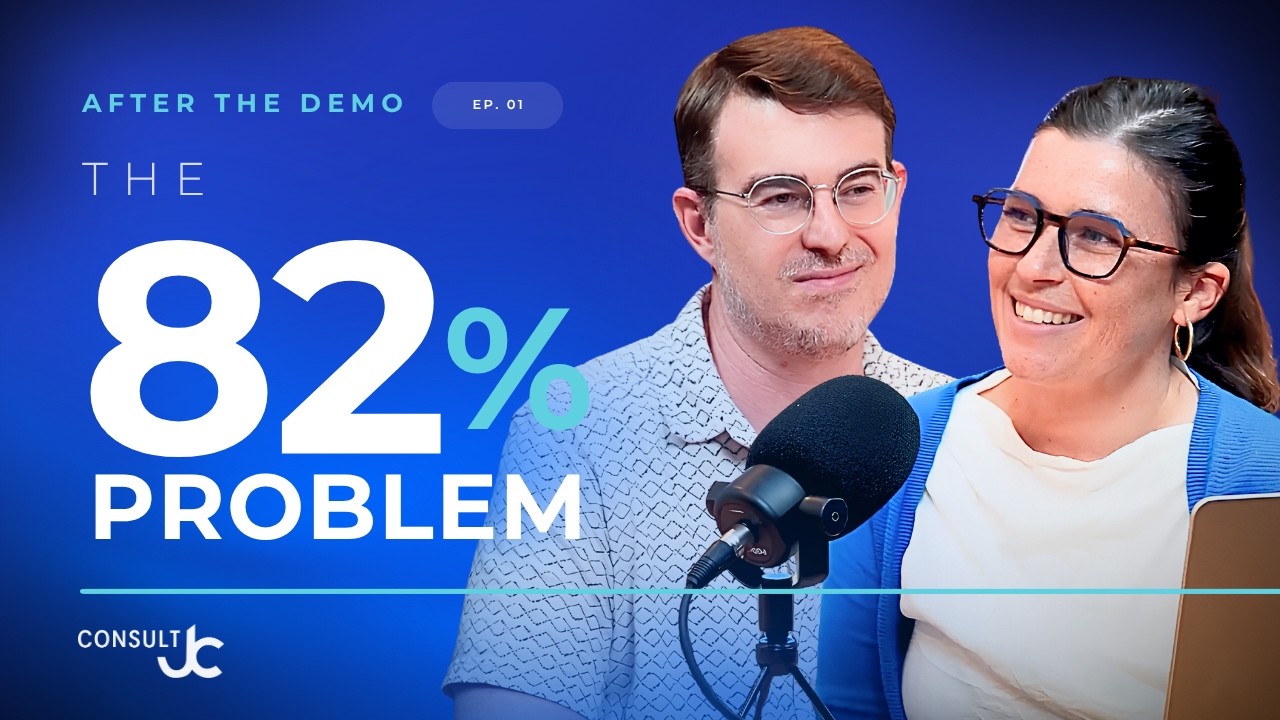
After the Demo podcast episode 1: The 82% Problem, with Christie and Jordan

On 17 July 2026 we launched After the Demo, the official podcast from Consult JC.

Hosted by Christie Fourie and our CEO, Jordan Cohen, it is the conversation that starts after the screen sharing stops. A software demo shows you what a system can do. What happens next, the planning, the people and the change, decides whether it actually works for your business.

Here is what the podcast is about, what we have covered so far, and where to watch.

Why “After the Demo”?

Most technology decisions are made in a demo. Most technology projects succeed or fail long after it. In our work as a Zoho Premium Partner, we see the same thing again and again: the software is rarely the problem. The process, the people and the leadership around it are what make the difference.

After the Demo brings those conversations into the open. Each episode covers real business challenges, Zoho best practices, implementation insights, AI, automation and practical ways to get more value from your technology. It is made for business leaders who are evaluating Zoho, planning an implementation or looking to get more out of the systems they already have.

Episode 1: The 82% Problem

Our first episode tackles a widely quoted statistic: 82% of digital transformations fail. Jordan explains that the number is real, but it is an average of many different failure patterns. Your own project is not doomed to an 82% chance of failure. The good news is that you can spot the patterns early and plan around them.

Christie and Jordan walk through three of the most common patterns:

  • Tech first, process after. A system is chosen for its features, or its price, before anyone maps how the team actually works. Months after go-live, a sales team that sells across regions and product lines finds the CRM only fits one process, and the software gets blamed. The fix is proper discovery with the process owners in the room.
  • Champion-dependent failure. One person drives the whole project and holds all the knowledge. When they leave, nobody knows how the system works. Involve more people early, invest in training and documentation, and bring in extra internal champions from soft launch and user testing onwards.
  • Technology before change management. The dashboards are built and working, but leaders go back to their spreadsheets. Treat adoption as its own project phase, give a leader ownership of it, and keep it on your meeting agenda.

Jordan closes with a simple exercise any leadership team can do for free: block 30 minutes at the start of your project, have each leader write down privately where they think it could fail, then compare notes. Where the answers overlap, you have found the risks to plan for.

Episode 2: Change Leadership vs. Change Management

Why do some transformations fail even when the change management plan is perfect? In episode 2, Christie and Jordan unpack the difference between change management and change leadership, and why successful transformation needs both. They work through three real-world scenarios, the “Wednesday afternoon test”, and how leaders can make change leadership measurable.

Short on time? Watch the clips

Alongside the full episodes, we share short clips on YouTube with the key moments, including How One Person Can Tank $1M Projects, Tech-First Failure: Why You Need to Consider Your Process and The Wednesday Afternoon Effect. They are a quick way to start a conversation with your own team.

Watch and subscribe

You can find every episode of After the Demo on the Consult JC YouTube channel. Subscribe so you do not miss the next one, and if an episode lands, share it with a decision maker on your team. That is how the show grows.

Planning your own implementation?

If you are evaluating Zoho or worried your project could fall into one of these patterns, we would love to help you plan for it up front. Book a free consultation at consultjc.com or email info@consultjc.com.

People first. Systems that scale.
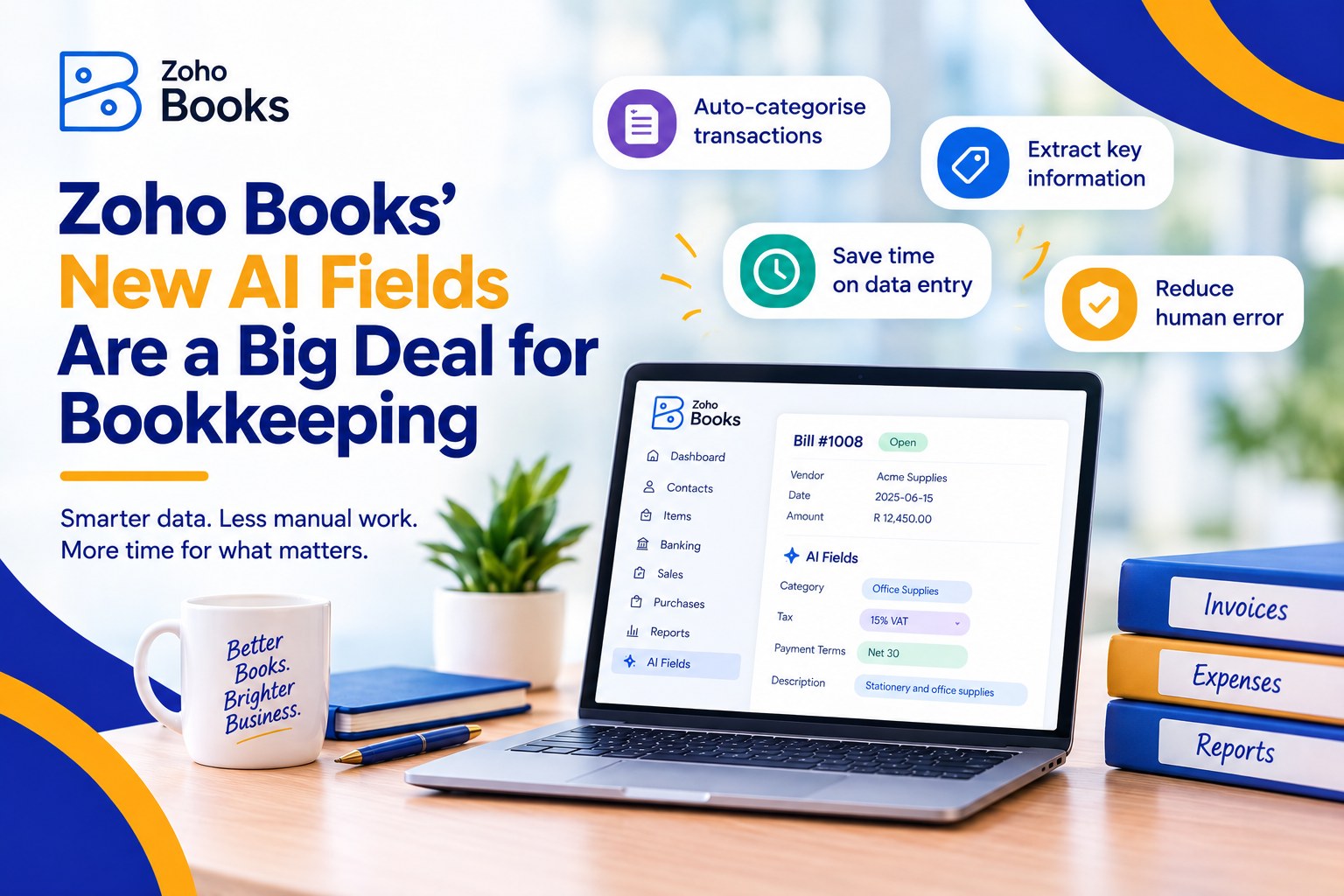
Zoho Books’ New AI Fields Are a Big Deal for Bookkeeping

Zoho Books' New AI Fields Are a Big Deal for Bookkeeping

Zoho Books’ New AI Fields Are a Big Deal for Bookkeeping

Every finance team has a version of the same month-end story. A pile of receipts nobody coded. A customer comment on an invoice that nobody read. A tax rate someone looked up by hand and hoped was right. None of it is complicated work. All of it eats hours that should go to the numbers that matter.

Zoho Books’ May 2026 update goes straight at that pile. Three changes are worth your attention: AI-powered custom fields, free receipt scanning, and automated sales tax for US and Canadian businesses. Here is what each one does, how to set it up, and where we would keep a person in the loop.

What Actually Changed

  • AI custom fields. Three new field types that read one field on a transaction and write a result into another: Image to Text, Keyword Extraction and Sentiment Analysis.
  • Free receipt scanning. Zoho says receipt scans are now free, so capturing, scanning and managing expense receipts costs nothing extra. Monthly limits depend on your plan.
  • Sales tax automation (US and Canada). Zoho says it “automatically determines and applies the correct tax”, taking into account your business location, your customer’s location, tax registrations, the type of goods or services and customer exemptions.

Setting Up AI Custom Fields, Step by Step

Zoho says AI custom fields are available on Premium plans and above. Its help documentation currently lists them as Early Access, so you may need to ask support to switch them on first.

  1. Check your plan and ask for access. You need Premium or above. If the AI data types are not available in your organisation, email support@zohobooks.com.
  2. Turn on AI features. Go to Settings, then Organisation, then AI Preferences. Switch on the feature, choose an AI provider and model, and save.
  3. Create the custom field. Add a new custom field and choose one of the AI data types.
  4. Point it at an input field. Tell Zoho which field the AI should read. Once a transaction is marked as Sent, the result appears on its details page.
  5. Test on real transactions first. Run it on a handful of live examples and check the output before you roll it out to the team.


Three Ways Finance Teams Can Use Them

  • Keyword Extraction pulls the most important words from a transaction description. Zoho’s own examples are categorising transactions and capturing item attributes such as colour or size. It gives you something to filter and report on that you did not have to type.
  • Sentiment Analysis labels customer feedback on a transaction as Positive, Negative or Neutral. Our suggestion: use it to flag which overdue conversations need a softer opening before your collections call.
  • Image to Text extracts printed or handwritten text from an uploaded image, describes it and detects objects. It is a good fit for handwritten delivery notes and supplier paperwork that never arrive as clean PDFs.

One practical limit: Zoho’s US pricing page shows two AI fields on each of Premium, Elite and Ultimate. With only two to use, decide which problems cost you the most time before you create them.


Free Receipt Scanning: What “Free” Means

“Free” does not mean unlimited. At the time of writing, Zoho’s US pricing page shows 50 receipt autoscans a month on the Free plan, 200 on Standard and Professional, and 1,000 on Premium, Elite and Ultimate. Limits can differ by region, so check the pricing page for yours.

The bigger win is habit, not software. Make receipt capture something people do on the day, not at month end. Agree who reviews what comes in, because a scan reads the receipt but a person still decides how it is coded.


Sales Tax Automation: Before You Switch It On

Treat this as a calculation tool. As we read Zoho’s description, it works out the right tax on your transactions. Filing and remittance stay with you and your accountant. Before you turn it on, we would check:

  • Your organisation address. It sets where the tax starts, so make sure it is right.
  • Your items and customers. Items should carry the right tax category, and exemption certificates should be on file for customers such as resellers, non-profits and government bodies. A certificate alone may not be enough if the item itself does not qualify.
  • Recurring invoices. Do not assume older transactions are recalculated. Test on new ones and review anything already scheduled.
  • Your registrations. Confirm the states or provinces you are registered in, so the system is working from the same list your accountant is.


Where We Would Keep a Human in the Loop

  • AI output is a suggestion. Someone should review keyword and sentiment results before they drive a decision about a customer or a ledger.
  • Know where your data goes. When you enable AI features you choose a provider and model. Zoho’s documentation for AI custom fields does not spell out data handling, so check before pointing them at sensitive customer notes.
  • Tax automation is not tax advice. Questions about where you owe tax, and how to file it, still belong with a CPA.
  • Fields nobody trusts get ignored. Explain to your team what each AI field means and what to do with it. Adoption is the real measure of whether this works.


Want This Working in Your Zoho Books?

We have actual accountants on our implementation teams, so we can look at your chart of accounts, your tax set-up and your month-end routine, tell you honestly which of these changes are worth switching on, and help your team use them. Book a free consultation at consultjc.com or email info@consultjc.com.

People first. Systems that scale.
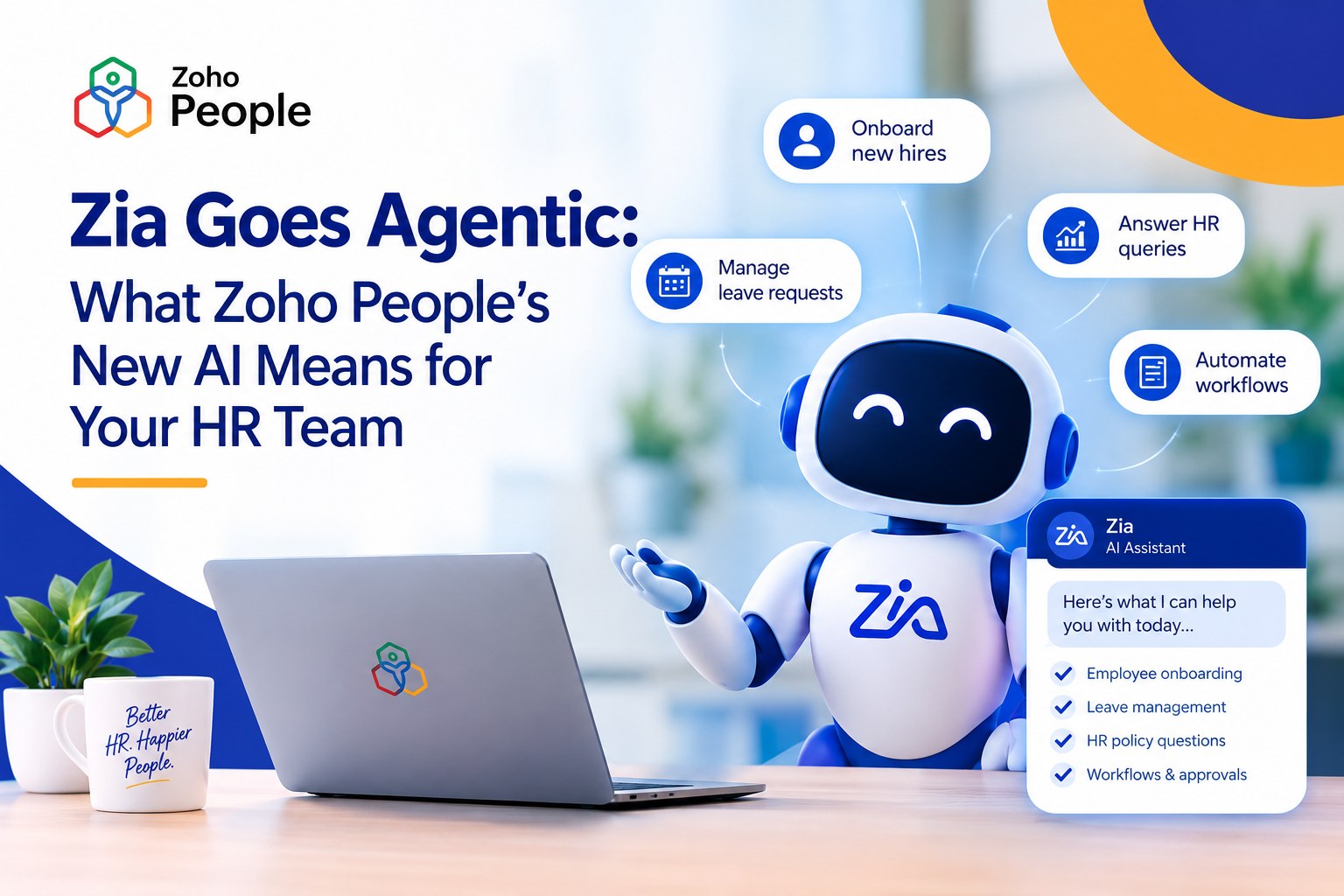
Zia Goes Agentic: What Zoho People’s New AI Means for Your HR Team

Zia Goes Agentic: What Zoho People's New AI Means for Your HR Team

Zia Goes Agentic: What Zoho People’s New AI Means for Your HR Team

If you run HR for a growing company, you already know the shape of a Monday morning. A leave balance to check. A new hire still waiting on their portal invitation. A manager asking where the latest policy lives. None of it is hard. All of it adds up.

Zoho has made a meaningful move on exactly this problem. Over the past few months, Zia, the AI assistant inside Zoho People, has gone from something that answers questions to something that gets tasks done. For a mid-sized business without a large HR department, that is worth paying attention to.

From Answering Questions to Doing the Work

Most workplace chatbots stop at “here’s a link to the policy.” Zoho describes Zia as an assistant that “answers questions, executes tasks, and pulls reports” from a plain-language request, working against your own Zoho People data.

The recent updates show the direction of travel. Zia can now carry out key onboarding steps straight from chat, such as managing candidates, triggering workflows, resending portal invitations and checking onboarding records by status. Employees can ask it to find files that have been shared with them. It can even draft assessment questions for your learning courses from a topic description or an uploaded document.

That is the shift: from an assistant that points, to one that does.

What It Looks Like in a Real Week

Based on what Zoho has published, here is where a growing HR team is likely to feel it first:

  • Routine questions stop landing on HR. Employees can ask Zia about policies, leave and their own data instead of messaging a person, and Zoho says it can summarise policies and help with leave planning.
  • Onboarding moves faster. The admin steps that eat a new-hire week can be triggered from a conversation rather than hunted down across screens.
  • Managers see their team without asking for a report. Zia turns workforce data into charts and highlights trends and recurring patterns.
  • It meets people where they work. Zia works by chat or voice across the web app, the mobile app, Microsoft Teams and Slack.

Why This Matters More for Growing Businesses Than Big Ones

Enterprises have specialists for onboarding, policy and reporting. A 60-person company has one or two people doing all of it, and often one person who simply knows where everything is. When that person is out sick, or resigns, the business feels it.

An assistant that handles the routine questions and routine steps spreads that load across the system instead of across one person’s memory. That is the real value here, and it is why we think this belongs in the conversation for scaling businesses, not just large ones.

It is also within reach. Zia is listed among the features on Zoho People’s plans rather than sold as a separate enterprise product, and you can run it on Zoho’s own language model, hosted in Zoho’s data centres, or bring your own key to connect a third-party model. Which edition includes which Zia capabilities is worth confirming for your plan before you build around it, and we are happy to check that with you.

The Question to Ask First: Who Can See What?

An assistant that can act on HR data needs rules. Zoho says Zia only provides information each user is permitted to access, keeps an audit of every action it performs, and protects data with encryption. Those are the right foundations.

They only protect you if your roles and permissions are right to begin with. If everyone is an admin today, Zia will inherit that. This is the unglamorous work we do first, because we diagnose before we prescribe.

Where We Would Be Careful

  • Patterns are not verdicts. Insights that flag trends in attendance or engagement are a prompt for a good conversation with a manager. They are not a decision about a person.
  • Clean data in, useful answers out. If leave policies are out of date or employee records are patchy, Zia will faithfully repeat the mess.
  • Technology does not create adoption. Your new system will not fail because of the software. It fails if the team is not brought along.

How to Start Without Overcomplicating It

  1. Fix the foundations. Review roles and permissions, and make sure your policies and employee data are current.
  2. Start small. Pick two or three high-volume requests, such as leave questions, onboarding steps and policy lookups, and measure the time you get back.
  3. Bring people along. Show employees and managers what to ask and where to go when something does not work. Keep a human reachable for the “where do I click” moments. That is why every Consult JC launch includes a period of free hypercare.

Thinking About Zia for Your HR Team?

We will look at your current Zoho People setup, tell you honestly what is worth switching on and what to fix first, and help your team actually use it. Book a free consultation at consultjc.com or email info@consultjc.com.

People first. Systems that scale.
Zoho Desk Just Got Easier to Use (Here’s What Changed)

Zoho Desk Just Got Easier to Use (Here's What Changed)

The Autumn 2025 update to Zoho Desk is packed with changes that actually make your day-to-day smoother. It’s not just about smarter AI or shinier tools, it’s about less clicking, fewer tabs, and more time spent doing meaningful work. 

Here’s a quick walk through what’s new – and why it matters. 

Making Support Smarter, One Task at a Time

You’ve probably heard “AI” tossed around like confetti lately. The difference here? Zoho Desk’s AI shows up when it matters – and stays out of the way when it doesn’t. 

Prebuilt Agents That Work on Their Own

Now you can roll out support agents that don’t need babysitting. They read customer queries, pu;; from your help docs, understand tone, and reply intelligently. All without an agent lifting a finger. Perfect for clearing out low-priority tickets or handling the same questions you’ve answered a hundred times. 

Build-Your-Own AI Agents

Have specific needs? You can build your own AI agent with Zia Agent Studio. Set up roles, give them responsibilities, and let them take care of repetitive work. It’s kind of like hiring a new teammate-except you don’t have to onboard them. 

Smarter Auto-Actions

The systems can now: 

  • Grab details from tickets automatically (like names, addresses, order IDs)
  • Predict what goes into which field
  • Write replies for you, or at least give you a solid draft
  • Even send out responses without you touching your keyboard (if you want it to)

All of this adds up to less copy-paste, less manual sorting, and less switching between tabs. 


Better Chats, Better Replies

Whether it’s WhatsApp, live chat, or your own site’s widget, Zoho Desk just made chat easier to manage. 

  • You can now keep all replies in the same ticket thread – no more mess when a customer sends five messages in five different places. 
  • Agents cant send voice notes, which is a lot faster than typing out long explanations.
  • You can drop in personalized links that fill in names, order info, or other details automatically. 

Oh, and the AI helps here too – offering quick reply suggestions and summarizing long conversations at a glance. 


Mobile Support That Doesn’t Suck

Let’s face it: mobile support apps usually feel like an afterthought. Not here. 

Zoho Desk now lets you: 

  • Get custom mobile apps built just for your team
  • Use Apple Intelligence to clean up writing, change tone, or summarize content. 
  • Even generate AI avatars for agents 

Plus, all the AI writing tools – like “make this sound more professional” or “turn this into a list” – work from your phone. So you’re not stuck writing novels with your thumbs. 


Less Admin. More Getting Things Done. 

These aren’t flashy, but they matter: 

  • Tickets that don’t get assigned? They now get automatically reassigned so they’re not forgotten. 
  • You can save your own filters and search setups, so you don’t have to redo them every time. 
  • Adminds can control who can create or edit custom views. No more surprise changes from over enthusiastic teammates. 

It’s all about getting through your work with less friction. 


Accessibility That’s Actually Thoughtful

Everyone works differently, and Zoho’s updates reflect that: 

  • You can now turn on link underlines to make them easier to see.
  • A reading mask helps focus on one part of the screen at a time.
  • There’s a focus ring to help with keyboard navigation.
  • You can zoom in, boost contrast, and tweak things to fit how you see and read. 

It’s not flashy – but it’s respectful. And that’s more important. 


Better Integrations , Too

Zoho Desk now plugs into more tools than ever – over 360, in fact. Some new ones include: 

  • Power BI (if you want to crunch serious numbers)
  • GitLab (for your dev team)
  • And things like attendance tracking, internalo chat, and more

This means fewer silos, and less jumping between platforms. 


Helping Your Team Help Themselves

There’s now a full internal self-service portal for your support agents: 

  • Product guides
  • Internal FAQs
  • Training content

And speaking of saving time, you can now turn past tickets into knowledge base articles with just a few clicks. The AI pulls the conversation, picks out the useful parts, and formats it into something your customers can actually use. 

This isn’t just a coat of paint. Zoho Desk’s Autumn ’25 update focuses on things that actually make support work better – whether you’re an agent buried in tickets or a manager trying to make your team more efficient. 

Less noise. More control. And a system that feels like it’s working with you, not against you. 

Meet Zoho WorkDrive 5.0: Where Content Collaboration Meets Content Intelligence

Meet Zoho WorkDrive 5.0: Where Content Collaboration Meets Content Intelligence

If you’re like most teams, your files aren’t just “files” anymore. They’re contracts, proposals, brainstorm notes, training videos, marketing assets, you name it — all piled up in one digital mountain. Zoho WorkDrive 5.0 is built to tame that chaos.

The new update doesn’t just give you storage space; it gives you content intelligence — a mix of automation, AI, and better security so your files don’t just sit there, they actually work for you.

Here’s what’s new (and why it matters).

1. Workflows That Run Themselves

Manual follow-ups and chasing approvals? Gone.

  • Drag-and-drop workflow builder: No coding. No IT tickets. Just pick your steps and you’re done.

  • Automatic or manual triggers: Some workflows kick in on their own (like when a new file is uploaded), others you can launch yourself. Think: contract approvals, content reviews, or onboarding checklists that don’t fall through the cracks.

2. Security Gets Serious

Data leaks are expensive — and embarrassing. WorkDrive 5.0 has your back with:

  • Data Loss Prevention (DLP) that spots sensitive info like financials or personal IDs and stops them from being shared, downloaded, or printed.

  • Granular folder permissions so people only see what they need to see.

  • Watermarks for images (PDF support coming soon), perfect for protecting creative assets.

  • Tighter sharing controls, like whitelisting certain domains and bulk-managing external shares. One click, and access is gone.

3. AI That Actually Helps

This is where WorkDrive feels futuristic:

  • Transcribe audio and video automatically — no more scrubbing through hours of footage.

  • Summaries at a glance so you can get the gist of long documents in seconds.

  • Translate comments in 74 languages to keep global teams in sync without copy-pasting into Google Translate.

4. Sharing Without Headaches

WorkDrive 5.0 makes external collaboration smoother:

  • Bulk-manage shared items so you always know who has access to what.

  • OTP-based external editing lets clients or partners edit files securely without creating a Zoho account.

5. Integrations That Save Clicks

Files don’t live in isolation, so WorkDrive 5.0 hooks into the tools you already use:

  • Zoho CRM: Attach files to leads, deals, and contacts without leaving your CRM.

  • Outlook add-in: Send and save files directly from your inbox.

  • Zoho Projects Plus: Keep projects and files neatly connected in one place.

6. Productivity Boosters You’ll Actually Use

  • Links instead of duplicates: Point to the same file from multiple folders. Goodbye, version confusion.

  • Index view: Jump straight to the right folder instead of scrolling endlessly.

  • Version control & cleanup: Decide how many versions of a file to keep and bulk-delete the extras.

Why This Update Matters

WorkDrive 5.0 shifts Zoho from being “just another cloud storage” into being a true content hub. It’s smarter, more secure, and built to fit the way teams actually work today — across borders, across tools, and at way too fast a pace for manual processes to keep up.

If your current system feels like a dumping ground for files, WorkDrive 5.0 might just feel like a breath of fresh air.

Ready to give your files some brains? Check out Zoho WorkDrive 5.0 here.


Zoho’s New AI Moves: Why Zia LLM Matters and How You Can Use It

Zoho’s New AI Moves: Why Zia LLM Matters and How You Can Use It

On July 17, 2025, Zoho quietly did something loud: it shipped its own foundation model and a full stack of agent-building tools. Here’s a walk-through of what landed, why it’s different, and how you can start taking advantage—all in plain English.

1. A Proprietary LLM That Fits, Not One-Size-Fits-All

Most SaaS vendors just wire up someone else’s model. Zoho built three of its own—1.3 B, 2.6 B, and 7 B parameters—trained on real Zoho product workflows using NVIDIA accelerated compute. Pick the size that matches your latency-versus-power trade-off. Your data never leaves Zoho’s data centers in the US, India, or the EU.

Why you care: Security teams stay happy, and finance doesn’t get a surprise GPU bill.

2. Speech Recognition Without the Cloud Tax

Zoho also rolled out two speech-to-text models (English and Hindi) that benchmark up to 75 % better than comparable open-source ASR—while running on commodity hardware. More languages are already on the roadmap. 

Use case: Turn every customer call, meeting, or video into searchable text without paying a per-minute fee.


3. Agents You Can Deploy Now

Zoho baked 25+ pre-built “digital employees” straight into its apps:

Ask Zia 2.0

Chat-first BI tool: builds pipelines, dashboards, even ML prototypes.

Customer Service Agent

Reads tickets in Zoho Desk, answers or routes them.

Revenue Growth

Spots upsell/cross-sell gaps and suggests campaigns.

Deal Analyzer

Calculates win odds, next best actions.

Candidate Screener

Ranks applicants against role criteria.


Fire one up, connect it to your existing permission sets, and it behaves just like any other user—minus the PTO requests


4. Zia Agent Studio: No-Code, Low-Code, or Prompt-Only

If the off-the-shelf agents don’t scratch your itch, Agent Studio lets you build your own with nothing more than prompts (or optional low-code). You automatically inherit 700+ Zoho actions—everything from creating invoices to kicking off a marketing drip. Schedule them, trigger them, or surface them in chat. Admins get audit trails and performance dashboards out of the box. 


5. Agent Marketplace: Ship, Share, Monetize

All agents—Zoho’s, yours, or a partner’s—live in a new section of Zoho Marketplace. Click to install, set permissions, done. For developers and ISVs, it’s a chance to sell verticalized brains rather than entire apps. 


6. Open by Design with MCP

Zoho adopted the Model Context Protocol (MCP) and even hosts its own MCP server. Translation: third-party tools can call Zoho actions without punching holes in your security model. Today’s library spans 15+ Zoho apps and is growing.


What’s Next?

Zoho says more languages, more pre-built agents, and expanded marketplace categories are on deck. But the headline is clear: AI in Zoho isn’t a bolt-on—it’s now baked into the operating system of the entire suite. If you’re already in the Zoho ecosystem, start with Ask Zia 2.0 or the Customer Service Agent and see how far you can automate. If you’re not, this just became a much stronger reason to give the platform a hard look.

Scroll to Top